Blog / Monthly Meal Planning
A Monthly Meal Plan Template You Can Reuse Every Month
Published July 14, 2026 · 4 min read
A good monthly meal plan template isn't a filled-in list of thirty dinners — it's a reusable grid you fill in fresh every month, built once and used for years. The template itself has two parts: a weekly skeleton (which meal category goes on which day) repeated four times, plus a simple grocery-trip schedule mapped to it. Once that structure exists, planning a new month takes minutes instead of hours, because you're filling in specific meals against a framework instead of designing the whole system from scratch every time. This guide walks through what to actually put in a monthly meal plan template, whether to build it on paper or digitally, and how to reuse the same one month after month without it feeling stale.
What Belongs in the Template (And What Doesn't)
A monthly meal plan template needs exactly three things: a weekly skeleton with one meal category per day, four columns or blocks — one per week — to drop in specific meals, and a grocery-trip marker showing which week gets the big stock-up trip and which weeks get smaller top-up trips. What it shouldn't include is a fixed list of specific recipes — a template with "Monday: Chicken Parmesan" baked in stops being reusable the second you get tired of chicken parmesan. Keep the categories generic (protein and starch and vegetable, one-pot meal, pasta night, breakfast-for-dinner) and let the specific recipe change every month while the shape stays the same. That's the difference between a template you use once and a template you use for the next two years.
Paper vs. Digital: Which Template Actually Gets Reused
A paper template — a printed grid stuck to the fridge — works well if the whole household needs to glance at it without opening an app, and it's genuinely faster to fill in with a pen during a five-minute planning session. A digital template holds up better over time: it survives past the month it was used for, it's easy to duplicate for next month instead of redrawing the grid, and it can carry notes forward — what worked, what didn't — instead of relying on memory. Neither is objectively better. The paper version tends to win for households that check a plan constantly through the day, and the digital version tends to win for whoever is actually doing the planning, since duplicating a proven template is faster than starting from a blank page.
Build the Template Once, Then Just Fill It In
The whole value of a template shows up in month two, not month one. The first time through, expect to spend real time getting the skeleton right — testing which meal categories your household actually eats, adjusting the grocery-trip schedule to match how your fridge and freezer actually hold up. By month two, that structure should barely need touching; the only real work left is filling in which specific recipe goes in each category slot, which is a much smaller decision than designing a month from nothing. Keep a running list of recipes that worked well in each category — a rotating sheet-pan-protein list, a rotating soup-night list — next to the template, so filling it in each month becomes picking from a known-good list instead of brainstorming under time pressure.
A Simple Example Template to Start From
Here's a skeleton simple enough to copy directly: Monday is a slow-cooker meal started before work, Tuesday is taco night, Wednesday is breakfast-for-dinner, Thursday is a sheet-pan protein with roasted vegetables, Friday is homemade pizza, Saturday is grilling or a no-cook meal, and Sunday is a big-batch dish that doubles as freezer stock for a busier week later in the month. Repeat that same seven-day pattern for all four weeks, then mark Week 1 as the big grocery trip and Weeks 2 and 3 as smaller produce-and-dairy top-ups, with Week 4 left loose as a flex week for whatever didn't get used. That's the entire template — seven categories, four repeats, three trips. Swapping in a different taco filling or a different sheet-pan protein each month is the only thing that changes; the grid itself never has to be rebuilt.
MyCookingList's calendar works the same way as a paper template, just digital. Build a week's skeleton once, and Premium's multi-week planning lets you carry that same structure into future weeks instead of rebuilding it from scratch every time.
Try MyCookingList FreeFrequently asked questions
Should a monthly meal plan template include specific recipes?
No — keep the template to meal categories (protein night, one-pot meal, pasta night) rather than specific dishes. That's what makes it reusable month after month instead of something you rebuild every time.
How do I make a monthly meal plan template if I've never planned a full month before?
Start with a weekly skeleton first — one meal category per day of the week — then repeat it four times before filling in any specific recipes. See our guide on building a monthly meal plan for the full skeleton-first approach.
Is a printable template better than a digital one?
It depends on your household. A printed grid on the fridge is faster to glance at and fill in by hand; a digital version is easier to duplicate for next month and to carry notes forward. Many people use both — digital for planning, printed for the kitchen wall.
Related reading
Free download
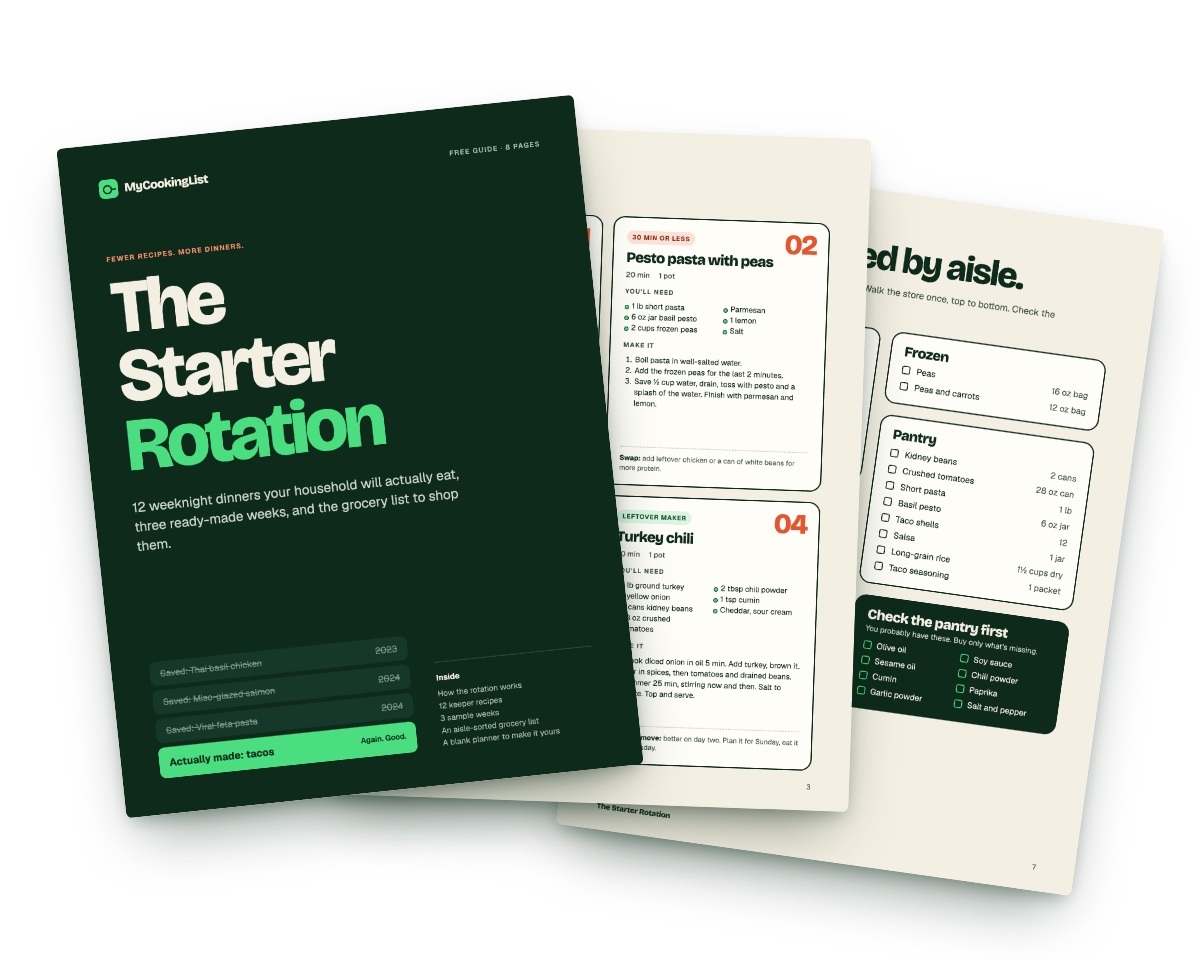
Want a template that is already filled in? Take the Starter Rotation.
12 keeper recipes, three planned weeks, and the grocery list, sorted by aisle. Eight printable pages you can use this Sunday.